Skyrim has been released, remastered, repackaged and sold to enough generations that buying it again now feels like a family tradition. Yet the reason it remains so playable is not Bethesda’s enthusiasm for new editions. It is the modding community.
A carefully built mod list can repair Skyrim’s ageing systems, sharpen its combat, deepen its role-playing and make the landscape look far better without turning every forest into a performance benchmark. A careless mod list can leave you staring at the desktop while wondering which of your 700 “essential” texture packs caused the collapse.
These are the best Skyrim mods for building a stable, modern playthrough in 2026, with options for different PCs, platforms and tastes.
The Best Skyrim Mods at a Glance

| Mod | Category | Best for | PC only |
|---|---|---|---|
| Unofficial Skyrim Special Edition Patch | Bug fixes | A more reliable base game | No |
| Skyrim Script Extender | Framework | Advanced PC modding | Yes |
| SkyUI | Interface | Better menus and mod configuration | Yes |
| SSE Engine Fixes | Performance and stability | Fixing engine problems | Yes |
| Alternate Start | Role-playing | Skipping Helgen and creating new characters | No |
| Ordinator | Perks | Experimental character builds | No |
| Simonrim | Gameplay overhaul | Balanced, vanilla-style mechanics | Mostly |
| True Directional Movement | Movement | Modern third-person play | Yes |
| Precision | Combat | More accurate melee fighting | Yes |
| Legacy of the Dragonborn | Quests and collecting | Long completionist playthroughs | Yes |
| Skyland AIO | Textures | A broad visual upgrade | Some versions |
| Community Shaders | Graphics | Modern effects without ENB | Yes |
| Obsidian Weathers | Atmosphere | A colder, grounded Skyrim | No |
| Lux | Lighting | Dramatic interiors and dungeons | Yes |
| Interesting NPCs | Characters and quests | More conversations and stories | Mostly |
The correct choice is not necessarily to install all of them. Some mods overlap, while larger overhauls often require patches. Skyrim modding rewards restraint, which is unfortunate because restraint tends to disappear after the first evening on Nexus Mods.
Before You Install Anything
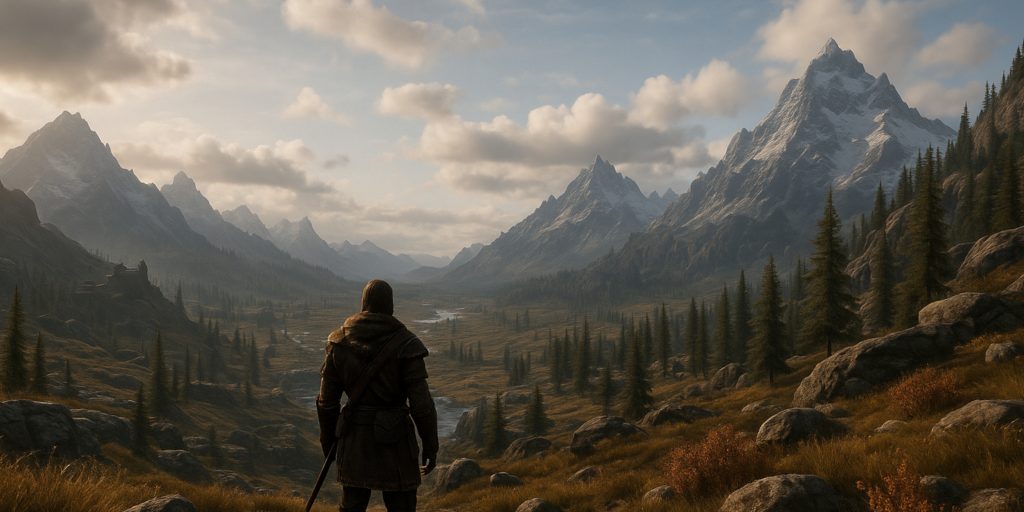
This guide primarily covers Skyrim Special Edition and Anniversary Edition on PC. In modding terms, Anniversary Edition usually refers to later 1.6 runtime versions, not simply whether you purchased the Anniversary Upgrade.
Check your exact game version before downloading SKSE plugins. Skyrim received another PC update in August 2026, so older guides and archived mod files may no longer match the current executable.
A few sensible precautions will prevent most disasters:
- Use a mod manager rather than copying everything into the Data folder.
- Confirm that each SKSE plugin supports your installed game version.
- Read the requirements and compatibility sections on every mod page.
- Install foundational fixes before textures, quests and gameplay overhauls.
- Test the game after each small group of additions.
- Keep a clean save from before you began modding.
- Avoid removing heavily scripted mods during an active playthrough.
- Back up your load order before making major changes.
For PC, Mod Organizer 2 offers the most control and keeps the original game directory relatively clean. Vortex is easier to approach and handles collections well. Both are better than manually dropping files into folders until Skyrim develops a mysterious fear of launching.
Unofficial Skyrim Special Edition Patch
Best for: Fixing quests, objects, dialogue and general Bethesda behaviour
Performance cost: Negligible
Difficulty to install: Easy
The Unofficial Skyrim Special Edition Patch corrects a huge collection of bugs that Bethesda never addressed. These include broken quests, misplaced objects, inconsistent records, dialogue problems and errors affecting perks or equipment.
It is one of the safest starting points for a conventional mod list and is required by many other projects.
There is a reasonable debate around some of its changes. USSEP occasionally goes beyond obvious technical repairs and makes decisions that could be described as interpretive. Players who want Skyrim preserved exactly as Bethesda left it may object to those alterations. For most people, though, the gain in consistency outweighs the occasional disagreement over what counts as a bug.
Skyrim Script Extender
Best for: Unlocking advanced PC mods
Performance cost: None by itself
Difficulty to install: Moderate
Skyrim Script Extender, better known as SKSE, expands the scripting functions available to mod authors. SkyUI, advanced combat systems, detailed interface mods and many engine-level fixes depend on it.
SKSE must match your Skyrim runtime. At the time of writing, the project lists separate builds for the current Steam release, GOG, the older Special Edition runtime and Skyrim VR. Do not pick a download merely because the words “Special Edition” appear in the filename.
SKSE does not support the Microsoft Store or Game Pass build, and compatibility with other storefront versions is limited. If serious PC modding is the plan, Steam or GOG remains the practical route.
This is infrastructure rather than entertainment. You will not launch the game and gasp at SKSE’s beautiful new cabbage textures, but much of the interesting stuff depends on it.
SkyUI
Best for: Improving menus on PC
Performance cost: Negligible
Difficulty to install: Easy once SKSE is working
Skyrim’s original interface was clearly designed around a controller and a living-room television. On a keyboard and mouse, opening the inventory can feel like searching a filing cabinet while wearing oven gloves.
SkyUI introduces sortable columns, compact lists, better item information and more useful inventory management. It retains Skyrim’s visual identity rather than replacing everything with a generic RPG menu.
Its other major contribution is the Mod Configuration Menu. MCM gives compatible mods an in-game settings panel, making SkyUI a practical requirement for many advanced setups.
Controller users benefit less from the inventory redesign, but MCM alone can justify the installation.
SSE Engine Fixes
Best for: Improving stability and correcting engine faults
Performance cost: Usually beneficial
Difficulty to install: Moderate
SSE Engine Fixes tackles technical issues within the Special Edition engine. Its fixes cover areas such as memory handling, file limits, animation behaviour and other problems that become increasingly noticeable as a load order grows.
Installation is more involved than clicking one button. It requires SKSE, the correct Address Library and additional files placed in Skyrim’s main directory. Read the current instructions carefully because old videos may describe obsolete file versions or settings.
This is not glamorous, but neither is losing a 90-hour save because the game has been held together by hope and an autosave from three dungeons ago.
Alternate Start: Live Another Life
Best for: Role-playing and repeat playthroughs
Performance cost: Negligible
Difficulty to install: Easy
Alternate Start: Live Another Life allows a character to begin somewhere other than the cart to Helgen. You might start as a homeowner, outlaw, guild member, vampire, soldier, traveller or unfortunate victim of a shipwreck.
This changes more than the opening location. It lets you decide who your character was before dragons returned, which gives role-playing builds a much stronger foundation.
The main quest remains available, but it no longer has to dominate the first hour. After creating dozens of characters, skipping the familiar execution sequence feels less like cheating and more like basic self-care.
Players looking for a newer alternative can also consider Alternate Perspective, which keeps Helgen functioning until the main quest is deliberately triggered.
Ordinator: Perks of Skyrim
Best for: Wild and highly specialised builds
Performance cost: Low
Difficulty to install: Easy
Ordinator replaces Skyrim’s perk trees with hundreds of more distinctive choices. Warriors can build around timed blocks, bleeding damage or specific weapon styles. Mages gain far stranger options than merely making spells cheaper. Even speech and lockpicking can support proper character concepts.
It is ideal for players who enjoy planning builds and discovering unusual combinations. The scale can be overwhelming, and balance sometimes gives way to spectacle, particularly once several synergies come together.
That excess is part of the appeal. Ordinator lets a character feel mechanically unusual rather than becoming another stealth archer through the slow gravitational pull of Skyrim’s systems.
Simonrim
Best for: A coherent, restrained gameplay overhaul
Performance cost: Low
Difficulty to install: Easy to moderate
Simonrim is a collection of modular overhauls designed to make Skyrim deeper without abandoning its original structure. Its core components include:
- Adamant, which redesigns perks
- Mysticism, which overhauls magic
- Blade and Blunt, which changes combat
- Mundus, which rebuilds standing stones
- Aetherius, which revises races
- Thaumaturgy, which rebalances enchanting
- Apothecary, which overhauls alchemy
Unlike Ordinator, Simonrim generally favours tighter balance and clearer progression over dramatic build gimmicks. It is my preferred direction for a playthrough that should still feel recognisably like Skyrim, only less confused about its own rules.
Use Simonrim as a connected system. Installing several competing perk, combat and magic overhauls together is less “ultimate Skyrim” and more administrative negligence.
True Directional Movement
Best for: Third-person players
Performance cost: Low
Difficulty to install: Moderate
True Directional Movement transforms third-person movement by allowing the character to move freely rather than remaining locked to the direction of the camera. It also adds target locking, improved swimming, head tracking and configurable camera behaviour.
The change sounds modest until you try it. Third-person exploration becomes smoother, while combat feels closer to a modern action RPG.
It works particularly well with animation and combat mods, but that introduces extra requirements and compatibility considerations. Install it as part of a planned combat setup, not as one more random plugin thrown near the bottom of a load order.
Precision
Best for: More convincing melee combat
Performance cost: Low to moderate
Difficulty to install: Moderate
Precision replaces Skyrim’s vague melee collision with weapon-based hit detection. Swords, axes and other weapons connect according to their actual animation and reach, while attacks can produce better reactions and physical feedback.
It makes spacing matter. A greatsword no longer behaves like an invisible cone of damage, and fighting in a narrow tunnel becomes appropriately awkward.
Precision is especially effective alongside modern animations, but those combinations must be configured carefully. Poorly matched animation sets can produce missed attacks or strange collision. The mod improves Skyrim’s combat logic, though it cannot make every animation pack obey the laws of geometry.
Legacy of the Dragonborn
Best for: Collectors and extremely long playthroughs
Performance cost: Moderate
Difficulty to install: Moderate to high
Legacy of the Dragonborn adds a vast museum in Solitude where players can display weapons, armour, books, relics and artefacts collected across Skyrim. It also introduces quests, characters, expeditions and its own progression systems.
For completionists, it provides something Skyrim badly needed: a reason to preserve rare objects rather than leaving them in a chest beneath 96 iron daggers.
Legacy is closer to the centre of a load order than an optional side attraction. It touches many parts of the game and requires patches for numerous quest, artefact and location mods. Decide whether you want it before building the rest of your setup.
If you prefer a short or focused campaign, it may be too dominant. If you enjoy filling display cases for 300 hours, your museum awaits.
Interesting NPCs
Best for: New characters, dialogue and smaller stories
Performance cost: Moderate storage requirement
Difficulty to install: Easy to moderate
Interesting NPCs adds a large cast of voiced characters, followers and interconnected quests. Many have extensive dialogue and react to the player’s background, choices or completed adventures.
The writing varies in tone and quality, as you would expect from such a large community project. Some characters blend naturally into Skyrim; others are considerably more talkative than the average Nord who wants to discuss only the weather and your possible theft of a sweetroll.
Still, it is one of the strongest options for making familiar settlements feel populated by people you have not met across six previous playthroughs.
Skyland AIO
Best for: A broad visual upgrade from one package
Performance cost: Low to moderate
Difficulty to install: Easy
Skyland AIO replaces a large range of environmental textures, including landscapes, architecture, ruins, roads and dungeons. Its art direction remains fairly close to Skyrim’s rugged northern character.
The appeal is coverage. Rather than combining dozens of texture packs and then trying to work out why one wall in Whiterun appears to come from a completely different century, Skyland creates a consistent baseline.
Choose texture resolution according to your graphics memory. Larger files are not automatically better during normal play. A clean 2K texture that loads smoothly is preferable to a 4K cabbage that causes stuttering whenever someone makes soup.
Community Shaders
Best for: Modern PC graphics without a traditional ENB setup
Performance cost: Depends on selected features
Difficulty to install: Moderate
Community Shaders is an open-source framework that adds advanced graphical features through modular add-ons. These can improve grass lighting, water effects, shadows, terrain blending, subsurface scattering and complex materials.
It has become a compelling alternative to ENB, particularly for players who want modern effects with more modular control and potentially better performance.
ENB can still produce extraordinary screenshots and highly distinctive presets. Community Shaders generally feels easier to integrate into a practical game that you intend to play rather than photograph for four hours outside Riverwood.
Install only the features your system can handle, then test busy exterior areas and cities rather than judging performance inside an empty cottage.
Obsidian Weathers and Seasons
Best for: A colder and more natural atmosphere
Performance cost: Low
Difficulty to install: Easy
Obsidian Weathers improves weather, lighting, fog and seasonal atmosphere without pushing Skyrim into an excessively colourful fantasy style.
Its strength is mood. Mountain ranges feel distant, storms look threatening and the province retains the cold, weather-beaten quality suggested by its geography. It also avoids the visual problem where every sunset looks as though the gods have launched a premium wallpaper service.
For brighter colour and more dramatic variety, Vivid Weathers remains a good alternative. For a softer modern look, Azurite Weathers is also worth considering. Pick one weather overhaul, not all three.
Lux
Best for: Dramatic interior lighting
Performance cost: Moderate
Difficulty to install: Moderate to high
Lux redesigns interior lighting with stronger shadows, more deliberate light placement and a cinematic sense of contrast. Taverns become warmer, crypts become darker and candles finally appear responsible for nearby illumination.
The results can be beautiful, but Lux has an extensive patching ecosystem because it edits many interior spaces. Large quest and city overhauls may need dedicated compatibility patches.
It can also make some areas genuinely dark. That suits dungeons but may frustrate players who do not enjoy carrying a torch just to locate a cabbage. Adjust brightness and use the available options rather than accepting permanent night vision tests as the price of atmosphere.
Realistic Water Two
Best for: Rivers, lakes and coastal scenery
Performance cost: Low to moderate
Difficulty to install: Moderate
Realistic Water Two improves water textures, movement, colour and sound across Skyrim. Rivers gain a stronger impression of flow, while lakes and coastal areas fit their environments more naturally.
It remains an impressive package, but water mods frequently conflict with landscape edits, bridges, settlement overhauls and new worldspaces. Check for patches and inspect shorelines for seams or abrupt changes.
Water for ENB is a strong alternative for ENB users. As with weather and lighting, choose one main water overhaul and build around it.
Which Skyrim Mods Should You Install First?
For a stable first mod list on PC, begin with a small foundation:
- Unofficial Skyrim Special Edition Patch
- SKSE
- Address Library for SKSE Plugins
- SkyUI
- SSE Engine Fixes
- SSE Display Tweaks
- One texture package
- One weather overhaul
- One lighting overhaul
- Either Ordinator or Simonrim
- Alternate Start
Launch the game after installing the technical foundation. Test menus, saving, loading and transitions between interior and exterior spaces. Add visual and gameplay mods only after the base setup behaves properly.
A compact, tested list of 30 mods usually provides a better experience than 300 downloads assembled from several unrelated YouTube showcases.
Best Skyrim Mods for Different Playstyles
| Playstyle | Recommended starting combination |
|---|---|
| Vanilla but improved | USSEP, SkyUI, Engine Fixes, Skyland AIO, Obsidian Weathers |
| Modern third-person combat | True Directional Movement, Precision, Blade and Blunt |
| Experimental character builds | Ordinator, Apocalypse, Andromeda |
| Balanced role-playing | Simonrim suite, Alternate Start |
| Exploration and collecting | Legacy of the Dragonborn, Interesting NPCs |
| Visual overhaul | Skyland AIO, Community Shaders, Lux, Obsidian Weathers |
| Lower-spec PC | USSEP, SkyUI, Engine Fixes, 1K or 2K textures, lightweight weather |
| Console playthrough | USSEP, Alternate Start, Ordinator, weather and texture overhauls where available |
Skyrim Mods on Xbox and PlayStation
Xbox supports a useful selection of gameplay, quest and visual mods through Bethesda’s Creations menu. Storage limits and the lack of SKSE mean it cannot reproduce a full PC setup, but meaningful overhauls are still possible.
PlayStation modding is more restricted because external assets are generally unavailable. Mods tend to rely on content already present within Skyrim, which limits new textures, models, sounds and scripts.
Console players should pay particular attention to load order. Bethesda allows Creations to be rearranged through the in-game menu, but the process is less forgiving than a dedicated PC manager.
Using ordinary mods or Creations can disable achievements and trophies. Bethesda states that tested Creation Club content, including material bundled with Anniversary Edition, is treated differently. Check the individual Creation before beginning an achievement-focused save.
Common Skyrim Modding Mistakes
Installing everything at once
When the game breaks, you need to identify the cause. That is difficult when 150 new plugins arrived together like an unsupervised coach party.
Ignoring requirements
Many mods depend on SKSE, Address Library, animation frameworks or another parent mod. Nexus requirements are not optional reading.
Combining overlapping overhauls
Two mods editing the same perks, weather system or city will not politely negotiate. One will overwrite the other, or both will produce inconsistent results.
Using an outdated SKSE plugin
Game updates can change Skyrim’s executable and break DLL-based mods. Confirm runtime compatibility after every official update.
Removing scripted mods from a live save
Scripts and records may remain inside the save after uninstalling a mod. Unless the author explicitly says removal is safe, continue with the mod or begin a new playthrough.
Treating load order tools as magic
Automated sorting is helpful, but it cannot understand every custom patch or deliberate overwrite. Read mod instructions and inspect conflicts where necessary.
Are Skyrim Mod Collections Worth Using?
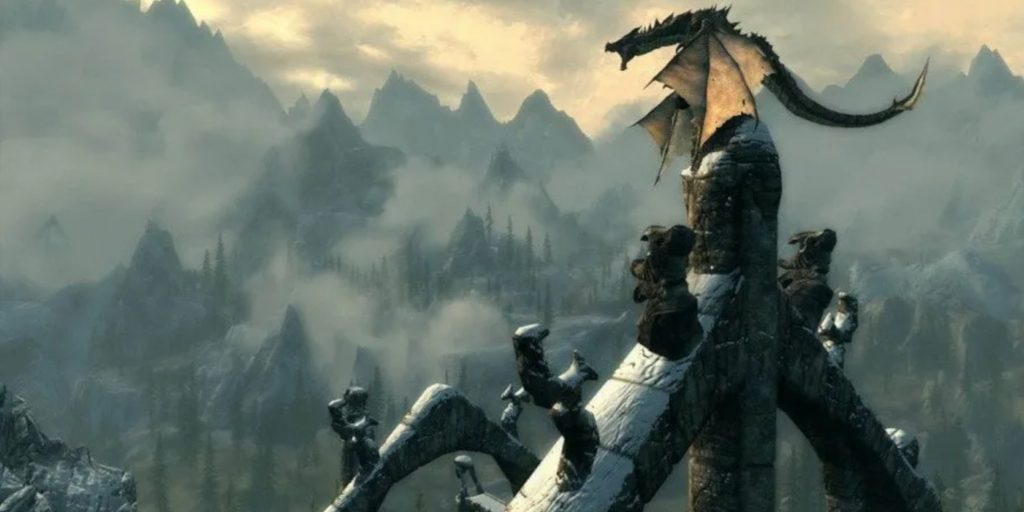
Nexus Collections and Wabbajack mod lists can install large, curated setups with far less manual work. They are valuable for players who want a complete experience and do not enjoy spending weekends comparing plugin records.
Their disadvantages are size, limited customisation and dependency on the curator’s decisions. Updating individual components can also break the list’s carefully tested compatibility.
Use a collection if you want to play a defined package. Build your own list if choosing, testing and occasionally arguing with mods is part of the hobby for you.
Takeaway
The best Skyrim mods are the ones that support the playthrough you actually want. A survival character does not need a museum containing thousands of displays. A first-person mage gains little from an elaborate third-person animation framework. A modest PC should not be sentenced to render every pebble in 8K.
Start with stability, decide on a visual direction and choose one coherent set of gameplay systems. Then stop installing mods long enough to play the game. That final step remains the hardest part of Skyrim modding.